This fixture is included as part of a 26/27 Glasgow Warriors Season Ticket however you must claim your seat at Barclays Hampden.
Season Ticket holders can login to their account on the Scottish Rugby Online Ticket Centre to access a pre-sale window to select their seat(s) from Friday 14 August, 12 noon – Tuesday 1 September, 11.59pm. Holders will also have the option to upgrade their seats and purchase additional match tickets for friends and family.
This will be followed by a further pre-sale window to purchase Hospitality and additional match tickets from Monday 7 September, 12 noon – Friday 11 September, 12 noon.
Season Tickets are still available for the 2026/27 campaign. Click here to buy now.
HOW TO CLAIM YOUR SEATS
Login to the Scottish Rugby Ticketing account used to purchase your Season Ticket(s). You must ensure you are logged into the correct account to access the Season Ticket prices option.
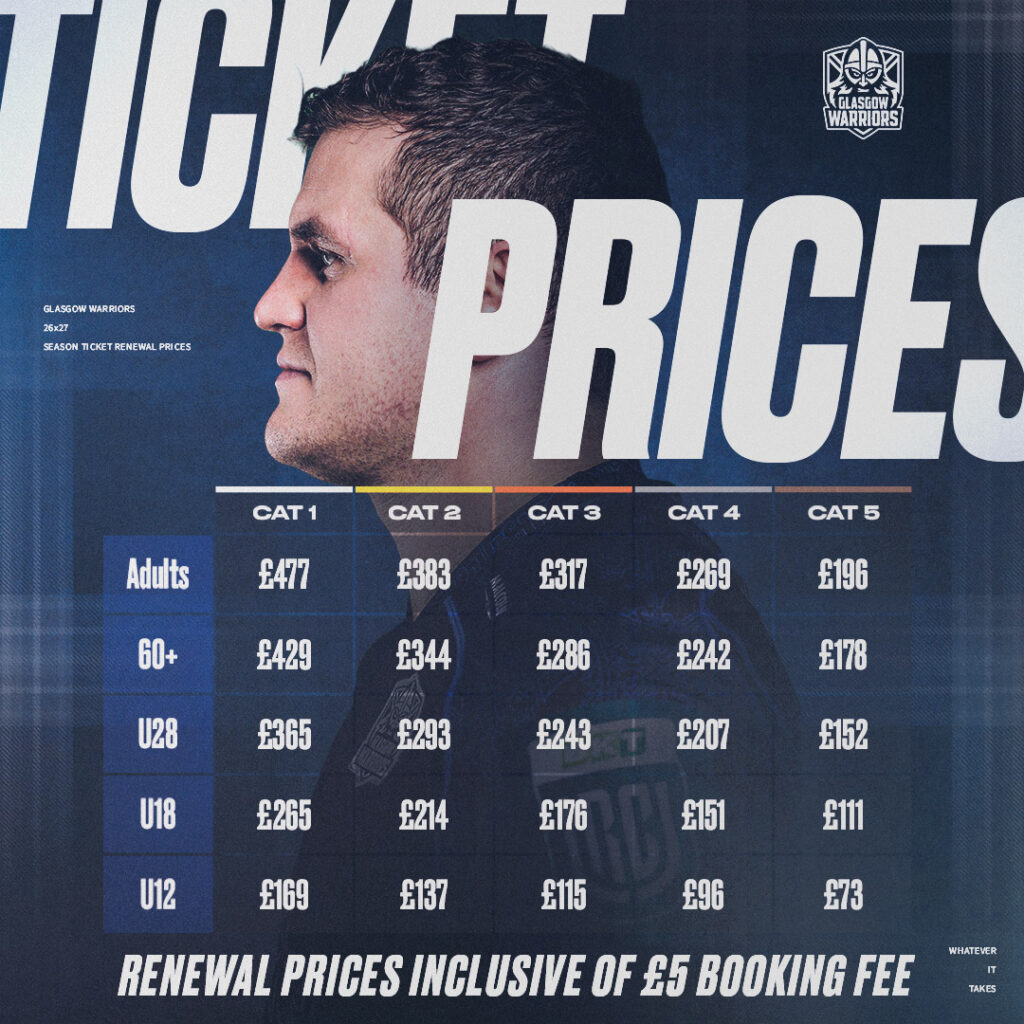
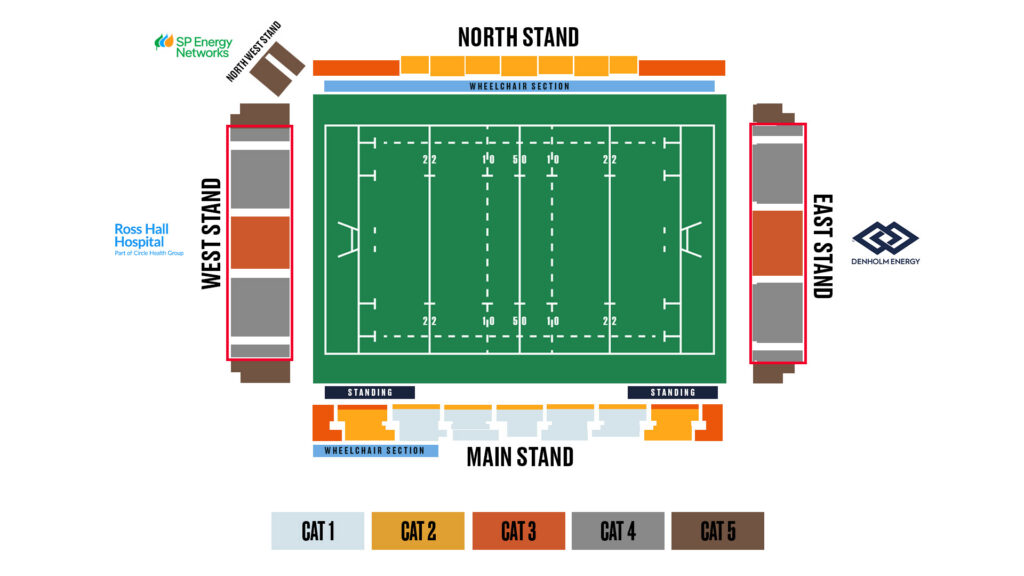
When selecting your seat from the interactive stadium map, you will see a price band beginning in “GWST”. It will be £0 in the category that corresponds to your Season Ticket (see table below) or will have an upgrade cost of £2.50 – £17.50 depending on your season ticket price category and the location of seat you are selecting in Barclays Hampden.
| Scotstoun Stadium |
Barclays Hampden |
| CAT 1 |
CAT 1 |
| CAT 2 |
CAT 2 |
| CAT 3 |
CAT 3 |
| CAT 4 |
CAT 3 |
| CAT 5 |
CAT 4 |
HOW TO ASSIGN SEATS FOR OTHER HOLDERS
You will only be able to book 1 match ticket per season ticket, any others must be assigned to the individual season ticket holder.
To add someone to your network, log into your online account and click the person icon to view your Account Menu.
- Under Account Management, click My Network. Within your Network you can now click Add Members.
- In the pop-up box, under ‘Search for an Existing Member’ you can enter the member’s client reference number and surname and add the member to your network.
- You must ensure you are logged into your ticketing account and add your tickets to your basket to be able to reassign these. Once your tickets have been added to your basket, click on the basket icon in the top right corner then click Reassign.
- In the pop-up box, click on the person you wish to assign to. Once you have selected, the pop-up box will close, and you will see the updated member details on the seat in your basket.
To be able to secure and assign seats for other Season Ticket Holders in your party you must first have them added to your network on your e-ticketing account.
For full instructions on how to set up ‘My Network’ & how to assign tickets please see the FAQs pages below:
How do I set up ‘My Network’?
How do I assign when purchasing tickets/passes?
Please note, you will not be able to secure a seat for someone who has a season ticket in a different category to yourself i.e., if you are in Cat 1 and they are in Cat 2. That person will need to log on to their e-ticketing account and secure their seat themselves.
CAN I UPGRADE MY TICKET?
Season Ticket Holders can pay to upgrade their seat(s) to a higher category by following the instructions above.
CAN I PURCHASE ADDITIONAL MATCH TICKETS?
Season Ticket Holders can purchase additional match tickets for friends and family members during the pre-sale window.
There will be no limit on the number of additional match tickets Season Ticket Holders can purchase.
WHAT IF I DON’T CLAIM MY SEAT?
If you do not secure your seat before the deadline (Tuesday 1 September, 11.59pm), we will allocate your seat(s) within your corresponding price band.
Please note, Season Tickets will NOT be active for this fixture. Match tickets will be sent via the Scottish Rugby Ticketing App and should be received by the week of the game.